Re-Tuning the C-200Updated 4 months ago
Your ultrasonic knife comes pre-tuned from the factory. However, over time and when environmental conditions like temperature change, the knife’s actual resonant frequency can move away from the programmed center frequency. An autotune algorithm runs continuously while the knife is on to search for the optimal resonance. However, switching frequencies can help resolve issues with audible noise.
Using the Tuneup Console
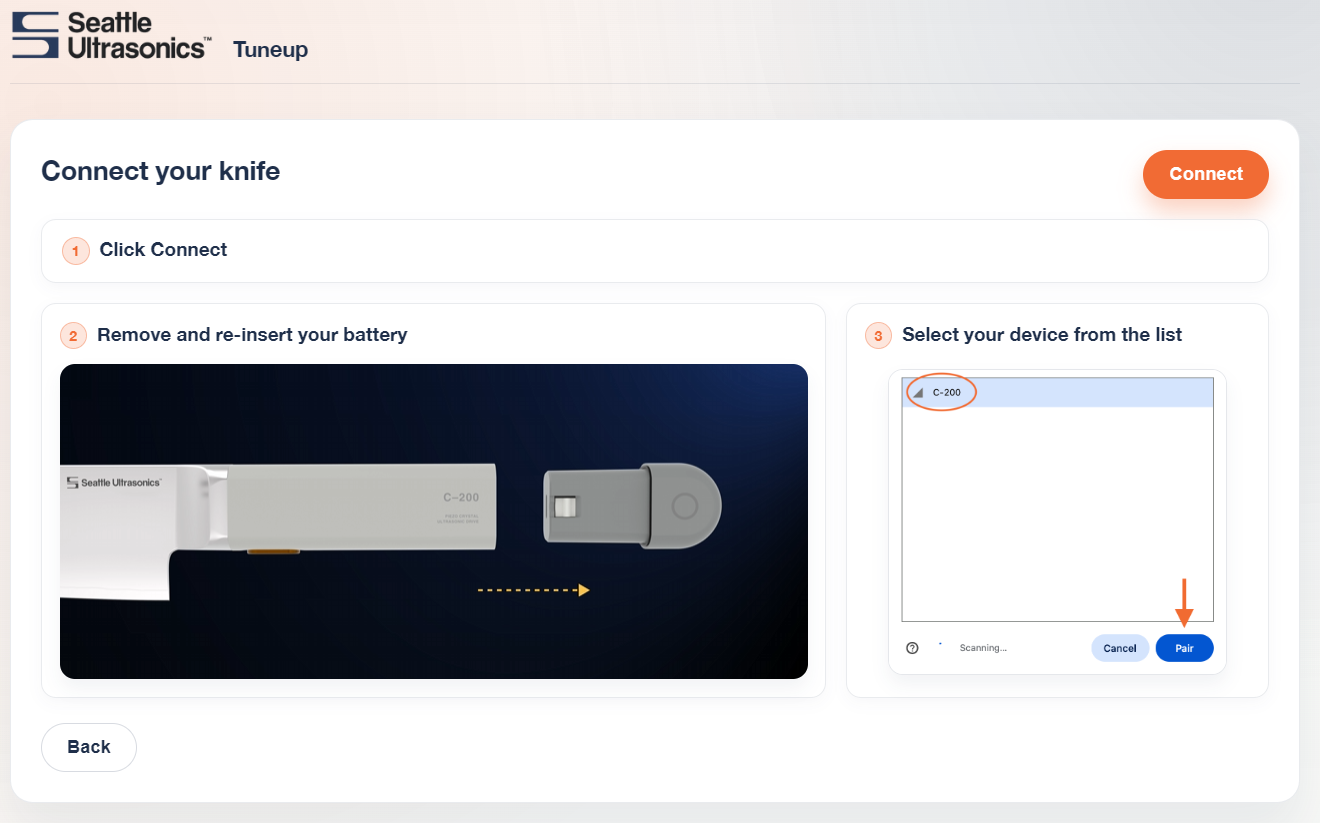
You can re-tune or change frequencies through our Tuneup Console using a phone or computer with a Bluetooth connection and a Chrome-based or Edge web browser. There’s no software to download or app to install (iPhone and iPad users will need the Bluefly app for a Bluetooth-enabled browser).
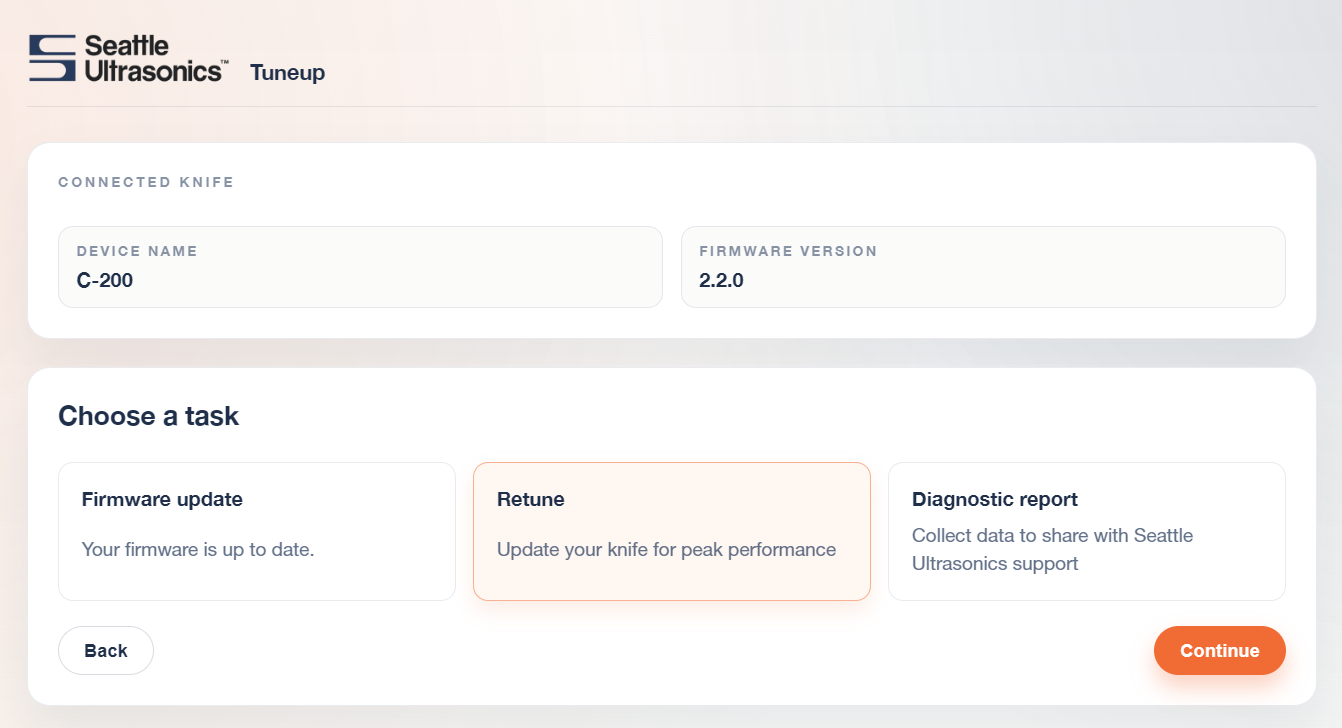
Always upgrade to the latest available firmware as a first step in resolving any issues you encounter. The upgrade process takes less than two minutes.
Then, select Retune from the task options.
Note: Hearing protection recommended during retuning. Some frequencies may cause a loud, audible ringing noise when the knife is on and not in contact with food. Use the retuning options below to switch to an alternate tuning target to avoid ringing. |
The frequencies available for retuning will depend on your specific knife version. Select a frequency target and push and hold the knife button to run the tuning process.
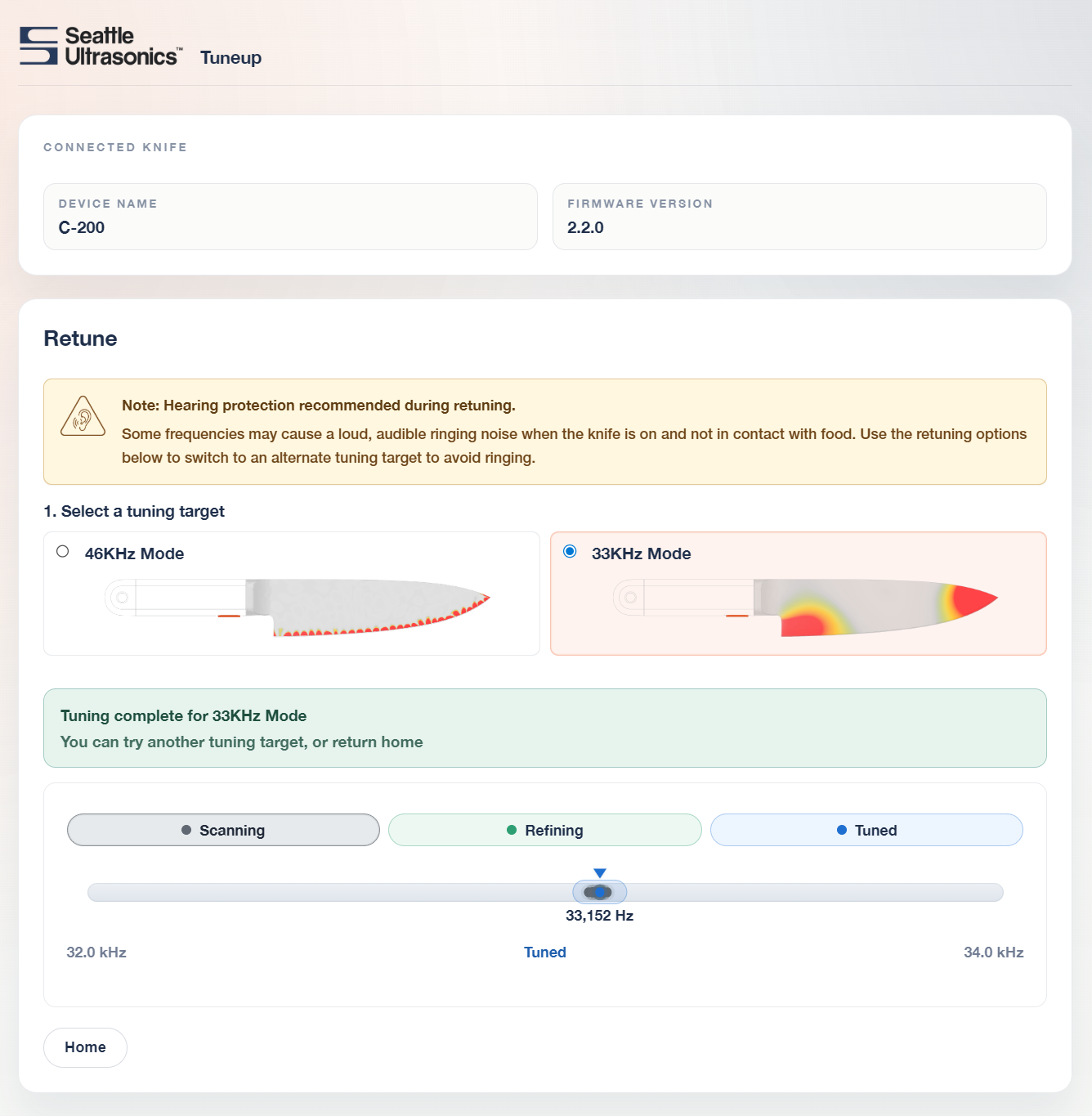
Retuning will take a few seconds as autotune searches for the peak resonance in that frequency band.
It is normal that some frequency targets will produce noise when the knife is operated in free air (not touching food). If your knife has audible ringing at a given frequency target, the best course of action is to switch to an alternate frequency target.
The Tuneup Console also allows you to capture diagnostic data that can help customer support assist with troubleshooting.